
Introduction
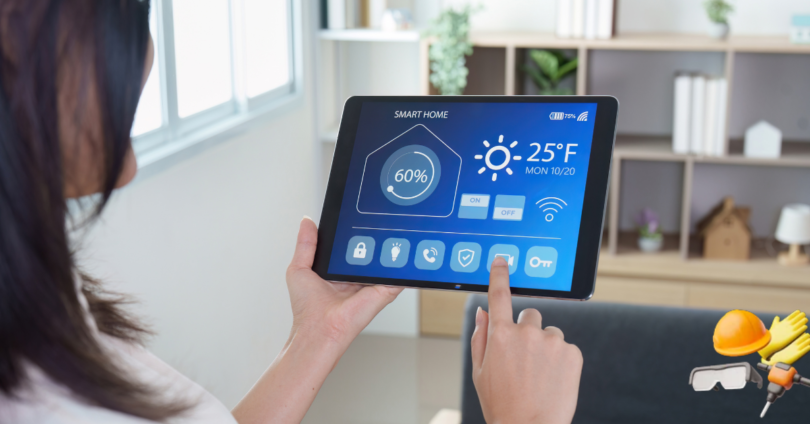
Home Tech World represents the growing connection between technology and everyday home life. From smart lighting and voice-controlled assistants to security cameras and energy-saving appliances, modern technology is changing how people manage, protect, and enjoy their homes.
A smart home does not need to be expensive or complicated. Even a few carefully selected devices can improve comfort, save time, reduce energy use, and make daily routines easier. The most important step is choosing technology that solves a real problem instead of purchasing devices only because they look advanced.
This guide explains the main areas of home technology, how smart devices work together, and what homeowners should consider before upgrading their living spaces.
Table of Contents
What Is Home Tech World?
Home Tech World is a broad term covering digital devices, connected appliances, home automation systems, security equipment, entertainment products, and energy-management tools designed for residential use.
These technologies can help homeowners control different parts of their homes through:
- Smartphone applications
- Voice commands
- Remote controls
- Automated schedules
- Motion and temperature sensors
- Central smart home hubs
For example, a smart thermostat can automatically adjust the temperature based on your routine. Smart lights can turn off when no one is in the room, while a video doorbell can show who is outside even when you are away from home.
The purpose of home technology is not simply to make a house look modern. Its real value comes from improving safety, convenience, efficiency, and control.
How Smart Home Technology Works
Most smart home devices connect through a wireless network. After installation, users control them with a mobile application, voice assistant, or automation platform.
A basic smart home system normally includes three main parts.
Smart Devices
These are the physical products installed inside or around the home. Examples include smart bulbs, cameras, locks, plugs, thermostats, speakers, and appliances.
Internet Connection
Many smart devices require Wi-Fi to communicate with mobile applications and cloud-based services. A stable internet connection is therefore important for reliable performance.
Control Platform
The control platform allows users to manage devices. It may be a brand-specific application, a voice assistant, or a central smart home ecosystem.
Some products can also work locally without an active internet connection. Local control can improve speed, privacy, and reliability, especially during internet outages.
Popular Categories in the Home Tech World
Home technology includes a wide range of products. The following categories are among the most useful for modern households.
Smart Lighting Systems
Smart lighting is one of the easiest ways to begin building a connected home. Smart bulbs and switches allow users to control brightness, colour temperature, and operating schedules.
Common smart lighting features include:
- Remote on-and-off control
- Adjustable brightness
- Automatic schedules
- Motion-based activation
- Voice control
- Energy monitoring
- Custom lighting scenes
For example, homeowners can create a “movie night” setting that dims the living-room lights or a “morning” routine that slowly increases brightness.
Smart switches may be more practical than individual smart bulbs when several lights are controlled from the same wall switch.
Smart Home Security
Security technology is an important part of Home Tech World. Connected security products allow homeowners to monitor their properties from almost anywhere.
Popular smart security devices include:
- Video doorbells
- Indoor cameras
- Outdoor security cameras
- Motion sensors
- Smart locks
- Window and door sensors
- Alarm systems
- Smoke and carbon monoxide detectors
A video doorbell can send an alert when someone approaches the entrance. Smart locks can provide temporary access codes for family members, cleaners, or delivery workers.
When selecting security equipment, users should consider video quality, night vision, cloud storage charges, local recording, battery life, and privacy controls.
Smart Speakers and Voice Assistants
Smart speakers can act as central control points for compatible home devices. Users can give voice commands to play music, set reminders, check the weather, control lighting, or adjust the thermostat.
Voice assistants are especially useful when a person’s hands are occupied. For example, someone cooking can set a timer without touching a phone.
However, homeowners should review microphone settings, privacy options, and stored voice activity. Devices should only be placed in areas where users are comfortable having voice-enabled technology.
Smart Thermostats and Climate Control
Smart thermostats help manage heating and cooling more efficiently. They can learn household routines, adjust temperatures automatically, and provide energy-use reports.
Benefits may include:
- Improved temperature control
- Reduced energy waste
- Remote operation
- Automatic scheduling
- Maintenance reminders
- Compatibility with temperature sensors
A smart thermostat can lower energy use when nobody is home and return the house to a comfortable temperature before residents arrive.
Compatibility must be checked before purchasing because not every thermostat works with every heating or cooling system.
Smart Plugs and Power Controls
Smart plugs turn standard electrical devices into remotely controlled appliances. They are affordable, easy to install, and useful for beginners.
A smart plug can control:
- Lamps
- Fans
- Coffee makers
- Decorative lights
- Small heaters
- Charging stations
- Television accessories
Users can create schedules or switch devices off remotely. Some smart plugs also display electricity consumption, helping homeowners identify devices that use excessive power.
High-power appliances should only be connected to plugs designed to handle their electrical load.
Smart Kitchen Appliances
Modern kitchen technology can improve convenience and reduce the time required for routine tasks.
Popular smart kitchen products include:
- Connected ovens
- Smart refrigerators
- Wi-Fi coffee machines
- Smart air fryers
- Digital pressure cookers
- Automatic dishwashers
- Smart food scales
- Temperature-monitoring devices
A connected oven may send an alert when food is ready, while a smart refrigerator can help monitor temperature or provide maintenance notifications.
Although advanced kitchen appliances can be useful, homeowners should compare their practical features with their price. A product should provide meaningful benefits beyond basic app control.
Robot Vacuum Cleaners
Robot vacuums have become common in modern homes. These machines can clean floors automatically, return to their charging stations, and follow scheduled routines.
Advanced models may include:
- Room mapping
- Obstacle detection
- Automatic dirt disposal
- Carpet recognition
- Mopping functions
- Restricted cleaning zones
- Voice assistant support
Robot vacuums are useful for routine cleaning, but they may not completely replace traditional vacuuming. Performance depends on floor type, furniture placement, pets, and the amount of clutter.
Smart Entertainment Systems
Home entertainment technology has also become more connected. Smart televisions, streaming devices, wireless speakers, projectors, and gaming systems can work together to create an improved viewing experience.
A smart entertainment setup may include:
- Smart television
- Streaming player
- Soundbar
- Wireless speakers
- Gaming console
- Media server
- Smart remote
- Voice control
Before building a system, users should check compatibility between devices. A simple, reliable setup is often better than an expensive system that is difficult to operate.
Smart Curtains and Blinds
Motorized blinds and curtains can be opened or closed using an application, voice command, or schedule.
They can support:
- Privacy management
- Natural light control
- Indoor temperature regulation
- Morning and evening routines
- Home security while travelling
Closing blinds during the hottest part of the day may reduce indoor heat. Automated curtains can also create the appearance that someone is home while the property is empty.
Smart Gardening Technology
Home technology is not limited to indoor spaces. Smart gardening products help users manage lawns, plants, and outdoor environments.
Examples include:
- Smart irrigation controllers
- Soil moisture sensors
- Weather-based watering systems
- Robotic lawn mowers
- Outdoor lighting
- Plant-monitoring devices
A smart irrigation system can adjust watering according to weather conditions, reducing unnecessary water consumption.
Benefits of Using Home Technology
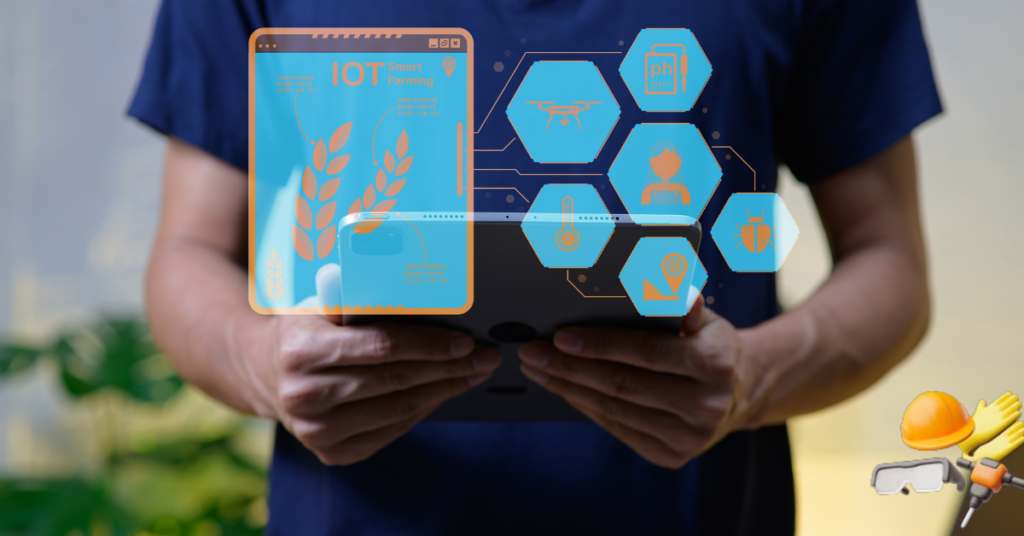
Home technology can provide several practical advantages when devices are chosen carefully.
Smart home technology becomes more effective when it is included in the early planning of a safe and beautiful home. Modern automation systems are also becoming an important part of the built environment because they improve comfort, security, accessibility, and energy efficiency. Readers who want to compare more digital products can also explore the latest technology and gadgets before choosing smart devices for their homes.
Greater Convenience
Smart devices can automate repetitive tasks. Lights, thermostats, appliances, and security systems can operate according to schedules or household activity.
Improved Home Security
Connected cameras, doorbells, locks, and alarms provide greater visibility and control. Users can receive alerts and check their properties remotely.
Better Energy Efficiency
Smart thermostats, plugs, lights, and energy monitors can help reduce unnecessary electricity use. Automated controls make it easier to switch off devices when they are not needed.
Accessibility Support
Voice control, automatic lighting, smart locks, and remote controls can assist elderly users and people with limited mobility.
Remote Home Management
Homeowners can manage many devices while travelling or working away from home. They can check cameras, control lights, lock doors, and monitor temperature through mobile applications.
Customised Living Environments
Smart technology allows people to create personalised lighting, entertainment, temperature, and security settings for different times of the day.
Challenges of Smart Home Technology
Although Home Tech World offers many benefits, users should also understand its limitations.
Privacy Concerns
Smart devices may collect information about household routines, voice activity, location, and device usage. Users should review privacy policies before installing connected products.
Important privacy steps include:
- Using strong passwords
- Enabling two-factor authentication
- Updating device software
- Reviewing application permissions
- Disabling unnecessary microphones
- Deleting unused accounts
- Selecting trusted manufacturers
Cybersecurity Risks
Poorly secured devices can become targets for cyberattacks. Default passwords should always be changed, and smart devices should receive regular security updates.
Creating a separate Wi-Fi network for smart home devices can provide an additional layer of protection.
Compatibility Problems
Not every smart device works with every platform. A product may support one voice assistant but not another.
Before purchasing, check:
- Mobile operating-system support
- Voice assistant compatibility
- Hub requirements
- Communication standards
- Application availability
- Regional restrictions
Choosing one main ecosystem can make future expansion easier.
Dependence on the Internet
Some smart devices lose features when the internet connection is unavailable. Cloud-based cameras, assistants, and remote controls may stop working temporarily.
Products with local controls, physical buttons, and offline functionality offer better reliability.
Subscription Costs
Some devices require monthly payments for video storage, advanced alerts, security monitoring, or premium automation features.
The total long-term cost should be calculated before purchase, not just the initial device price.
Complex Installation
Basic smart bulbs and plugs are easy to install. However, thermostats, wired cameras, locks, and electrical switches may require professional installation.
Electrical work should always be completed safely and according to local regulations.
How to Build a Smart Home Step by Step
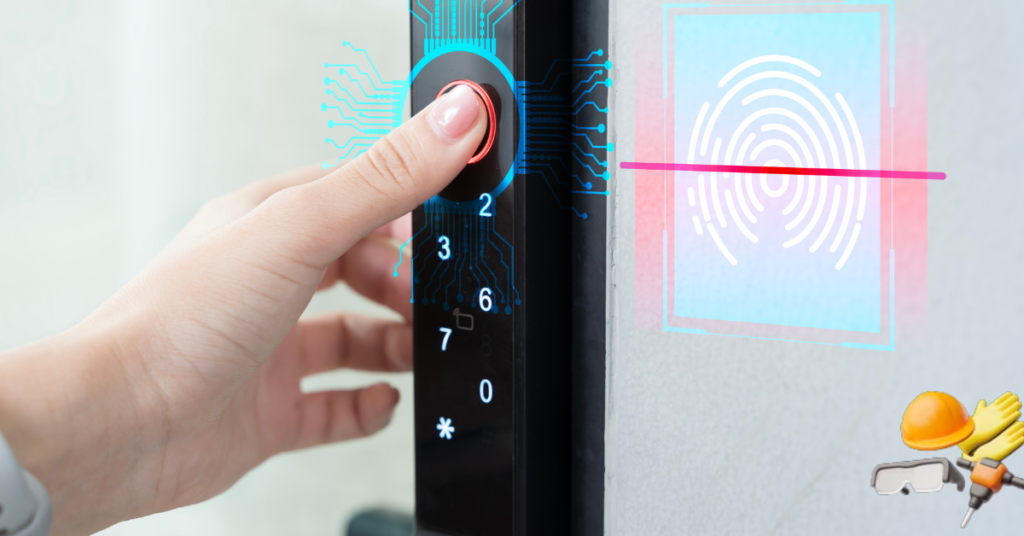
A smart home should be built gradually rather than purchasing many unrelated devices at once.
Step 1: Identify Your Main Goal
Decide what problem you want to solve. Your main goal might be security, energy savings, convenience, accessibility, or entertainment.
Step 2: Choose an Ecosystem
Select a platform that supports the devices you are most likely to use. Consider smartphone compatibility, voice assistant preference, and future expansion.
Step 3: Improve Your Wi-Fi Network
Smart devices require stable connectivity. Place the router centrally, use secure settings, and consider a mesh network for large homes.
Step 4: Start With Simple Devices
Smart bulbs, plugs, speakers, and cameras are suitable starting points. They are relatively easy to install and can demonstrate the value of automation.
Step 5: Create Useful Automations
Automations should make routines easier. Useful examples include:
- Turning outside lights on at sunset
- Locking doors at bedtime
- Lowering the thermostat when the house is empty
- Switching off appliances after a set time
- Receiving alerts when motion is detected
Step 6: Review Security Settings
Change default passwords, enable two-factor authentication, update firmware, and remove access for unused users.
Step 7: Expand Gradually
Add new products only after confirming that existing devices are reliable and useful.
Best Smart Home Devices for Beginners
Beginners do not need to purchase an entire home automation system. The following devices provide a practical starting point.
| Device | Main Benefit | Installation Difficulty |
|---|---|---|
| Smart bulb | Lighting control and schedules | Easy |
| Smart plug | Remote appliance control | Easy |
| Video doorbell | Entrance monitoring | Moderate |
| Smart speaker | Voice control and automation | Easy |
| Smart thermostat | Energy and climate management | Moderate |
| Indoor camera | Remote home monitoring | Easy |
| Smart lock | Keyless access | Moderate |
| Motion sensor | Security and automation | Easy |
The best first device depends on the user’s main objective. Someone focused on security may choose a video doorbell, while someone interested in energy savings may begin with smart plugs or a thermostat.
Home Technology and Energy Saving
Energy efficiency is one of the most valuable uses of smart home technology.
Smart systems can reduce waste by:
- Turning lights off automatically
- Adjusting heating and cooling
- Monitoring appliance consumption
- Scheduling high-energy devices
- Controlling blinds according to sunlight
- Detecting open windows or doors
- Providing electricity-use reports
However, devices themselves also consume power. Energy savings depend on how the technology is installed and used.
Automation should support efficient habits rather than encourage unnecessary device usage.
Home Tech World for Families
Smart home products can help families manage security, routines, entertainment, and household responsibilities.
Useful family features include:
- Shared calendars
- Homework reminders
- Door access notifications
- Parental controls
- Bedtime lighting routines
- Family shopping lists
- Indoor air-quality monitoring
- Location-based automation
Parents should explain how smart devices work and set clear rules about cameras, microphones, and privacy.
Children should not have unrestricted control over locks, security systems, purchases, or sensitive account settings.
Technology for Elderly Homeowners
Home technology can support independent living for older adults.
Helpful devices may include:
- Voice-controlled lights
- Video doorbells
- Automatic medication reminders
- Fall-detection systems
- Smart smoke alarms
- Emergency contact buttons
- Temperature sensors
- Automatic door locks
The system should remain simple. Physical controls should still be available, and essential devices should continue operating during internet or power problems.
Family members should respect privacy and obtain permission before installing monitoring equipment.
Future of Home Tech World
Home technology will continue becoming more connected, personalised, and energy efficient.
Future developments may include:
- More accurate artificial intelligence
- Better device compatibility
- Improved local processing
- Stronger privacy controls
- Predictive maintenance
- Advanced home robots
- Smarter energy management
- Greater use of renewable power
- Improved health and air-quality monitoring
Artificial intelligence may allow homes to understand patterns and make useful adjustments automatically. For example, a system could identify unusual energy use, detect equipment problems, or adjust the indoor environment based on occupancy.
The most successful future technologies will be those that work quietly, safely, and reliably without making everyday life more complicated.
Tips for Buying Smart Home Products
Before purchasing a device, consider the following factors:
- Confirm that the product solves a real household need.
- Check compatibility with existing devices.
- Read the manufacturer’s privacy policy.
- Look for regular software and security updates.
- Compare subscription charges.
- Review customer support and warranty coverage.
- Check whether the device works without the internet.
- Choose products from reliable manufacturers.
- Avoid purchasing unnecessary features.
- Plan for future expansion.
A low-cost device is not always the best value. Security, reliability, support, and long-term compatibility are equally important.
FAQS
What does Home Tech World mean?
Home Tech World refers to smart devices, automated systems, connected appliances, security products, and digital solutions used to improve modern homes.
Is smart home technology expensive?
It can be expensive, but beginners can start with affordable products such as smart bulbs, plugs, sensors, and speakers. A smart home can be expanded gradually.
Do smart home devices work without Wi-Fi?
Some devices offer local or manual control without Wi-Fi, while others require an internet connection for most features. Product specifications should be checked before purchase.
Are smart home devices safe?
Smart devices can be used safely when users choose reputable products, install security updates, create strong passwords, and enable two-factor authentication.
What is the best smart home device for beginners?
Smart plugs and bulbs are usually the easiest starting options. They are affordable, simple to install, and useful for learning how home automation works.
Conclusion
Home Tech World is transforming ordinary houses into more connected, comfortable, secure, and energy-efficient living spaces. Smart lighting, security cameras, thermostats, appliances, voice assistants, and automated systems can simplify daily routines when selected carefully.
The best approach is to start with a clear goal, choose compatible products, protect personal data, and expand the system gradually. Home technology should support everyday life rather than make it more complicated.
By focusing on reliability, usefulness, privacy, and long-term value, homeowners can create a smart living environment that meets their real needs.